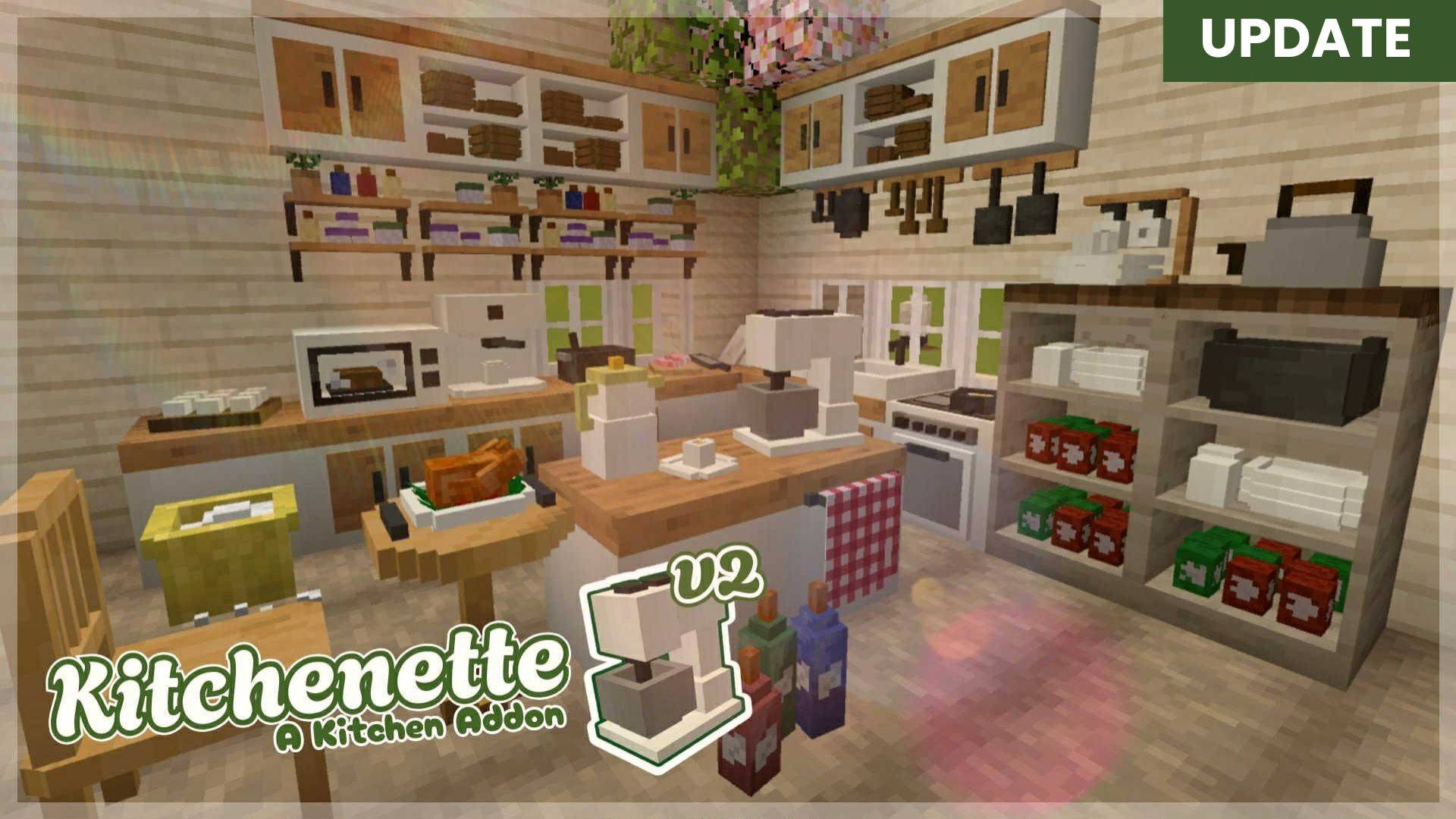
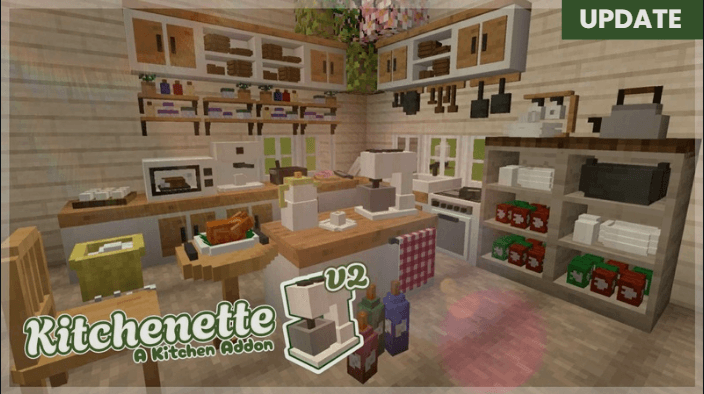
Arrange counters, hang shelves, and choose cabinets—with Kitchenette, you can turn an ordinary room in Minecraft Bedrock into a cozy kitchen. The add-on brings together kitchen details and other decorative items to add color and character to your build. 🧸

Build your kitchen your way 🍽️
Start with the counters: they’re handy for defining the kitchen’s work area or separating it from the dining room. Shelves and cabinets help fill empty spaces, while the other decorative pieces give the room a finished look. Try decorating a cottage kitchen or come up with your own layout—the pack’s items are for decoration and aesthetics.
To use Kitchenette, activate both the resource pack and the behavior pack in the world settings. Then open the equipment inventory and choose the items you need: all inclusions are marked with the tag AE.
Add details to your world 🎮
Combine counters, shelves, and cabinets to suit your build: you can set up a compact kitchen or decorate a spacious room. Kitchenette is made for decorating Minecraft Bedrock and helps give your kitchen area a warmer, lived-in feel.