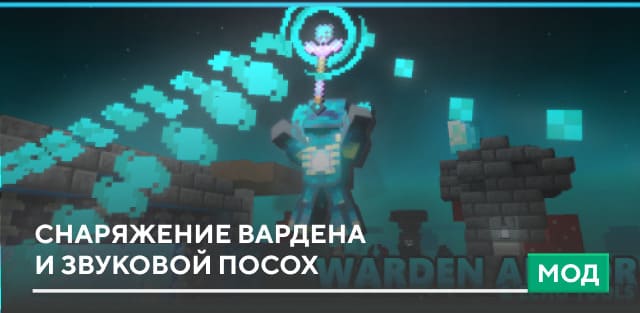
Hold the disc in your main hand, aim at a line of mobs, and throw: the projectile can hit several enemies, bounce off a solid surface, and return to you. This add-on adds five throwing discs to Minecraft Bedrock—from copper to netherite—with different damage, durability, and cooldown times. 🥏

Five Materials, Five Weapon Options
You can craft a copper, iron, gold, or diamond disc, then upgrade the diamond one to netherite. Each material has its own stats. The gold disc flies and returns faster than the others.
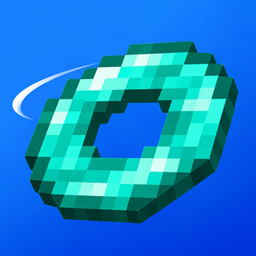
The disc spins in flight, and its texture matches its material. After being thrown, it returns automatically—no Loyalty enchantment required. Discs don’t stack, so each takes up a separate inventory slot. In multiplayer, each player can have one disc in flight.
How to Craft Discs
Copper, iron, gold, and diamond discs are crafted at a crafting table. Place four of the same material in the top-middle, middle-left, middle-right, and bottom-middle slots of the 3×3 grid. Leave the center and corners empty.
| Disc | Ingredients |
|---|---|
| Copper | 4 copper ingots |
| Iron | 4 iron ingots |
| Gold | 4 gold ingots |
| Diamond | 4 diamonds |
| Netherite | Diamond disc and 1 netherite ingot |
To get a netherite disc, upgrade the diamond disc at a smithing table by adding a netherite ingot. Leave the template slot empty.
Throwing and Returning 🎮
- Hold the disc in your main hand.
- Aim and press “Use / throw disc.”
- Try to hit mobs, bounce the disc off a wall, and wait for it to return.
Each successful throw in Survival mode uses up the disc’s durability. If your inventory fills up while the disc is in flight, it will wait to return until a slot becomes free. The weapon is designed for fighting mobs and does not damage players. Experimental toggles are not required.
Installing the Pack
- Open the file
.mcaddonin Minecraft. - Enable both the behavior pack and the resource pack in your world.
- Enter the world, craft a disc, and try it in combat.