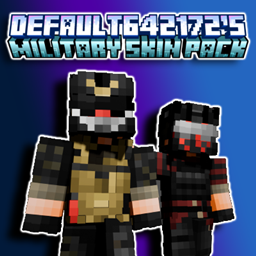
Want to change your usual look before a new game or pick an outfit for your military squad? The Military Skins pack adds more than 300 skins to Minecraft Bedrock, featuring looks inspired by real armed forces and video game characters. 🪖

Looks for different gameplay stories
The pack includes several skin options, so you can choose the right look for your character. For example, set up a training base, a reconnaissance camp, or a scene from your favorite game in your Minecraft world, then pick a look from the collection to match. 🎮
The skins are handmade. The collection is growing, so new looks may be added to the pack in the future.
How to import the pack into Bedrock
- Download the pack file.
- Open File Explorer and double-click the file with the extension
.MCPACK. - Wait for Minecraft Bedrock to import the pack.
How to replace an older version
If the pack is already installed and you want to update it, delete the old version’s folder first. In File Explorer, go to the path below:
This PC > Users > (Your Username) > AppData > Local > Packages > Microsoft.MinecraftUWP_8wekyb3d8bbwe > LocalState > Games > com.mojang > Skin Packs
- In the folder
Skin Packsdelete the folderDefault642. - Open the Downloads folder and double-click the new file
.MCPACK. - Wait for the import to finish in Bedrock.