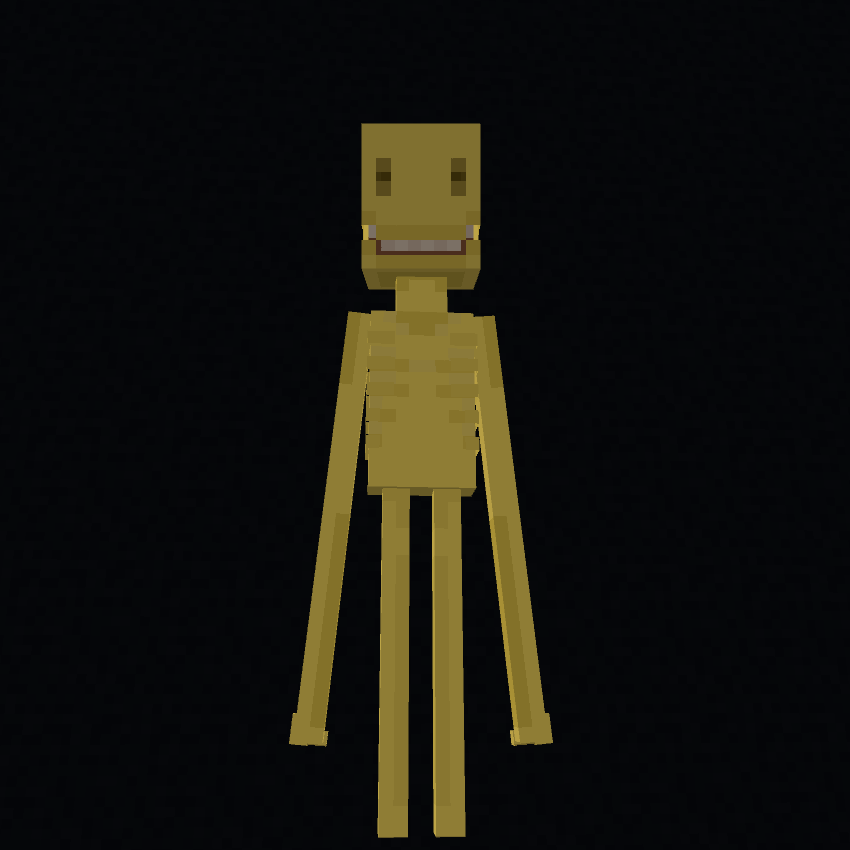
Want to choose the Verity look for your character and explore the world or build a base that way? The skin pack Verity 4D adds this look to Minecraft Bedrock. There’s an important requirement for Windows and iOS devices: it won’t work without the free skin pack Crafty Costumes 🎮
Which version to choose
For Windows 11 and iOS/iPadOS, you need the PC+iOSversion. On Android, use the separate ANDROID version — the instructions include a video tutorial for it. 🛠️

Setup on Windows 11
For this method, you need to rename the file, extract it, and move the folder to the Minecraft cache. Note: step 4 suggests deleting everything in the folder skin_packsso other files stored there may be deleted too.
- Download the PC+iOSskin pack version.
- Rename the file extension from
.mcpackto.zipand extract the archive. - Press
Win + Rand paste the path%AppData%\Minecraft Bedrock\premium_cache\skin_packs. - Delete everything in the folder
skin_packs. - Move the extracted ZIP file to the folder
skin_packs. - Launch Minecraft — the skins will then be available.
Adding on iPhone or iPad
On iOS and iPadOS, you’ll also need the PC+iOSversion. The steps are similar to installing on Windows, but the folder you need is in Minecraft’s internal storage. Before clearing it, note that deleting the contents will affect everything in that folder.
- Download the PC+iOSversion.
- Rename the file from
.mcpackto.zipand extract the archive. - Open the path
On My iPhone (or iPad)/Minecraft/internal/premium_cache/skin_packs. - Delete everything in the folder
skin_packs. - Move the extracted ZIP folder there.
- Launch Minecraft to access the skins.
Android version
On Android, download the ANDROIDversion, rename the file from .mcpack to .zip and extract it. Then follow the steps in the installation video tutorial.